
The screenshot manager for Mac
Screenshots that
organise themselves.
Clevershot takes the screenshot, gives it a real name, reads every word inside so you can find it later, and keeps your Desktop tidy. Mark it up, hide what's private and share it. All on your Mac.
One-time $11 · Works offline · macOS 15 or later · Apple silicon and Intel
- Real names
- Search inside screenshots
- Its own capture
- Tidy Desktop
- Hides private info
- Markup
- Scrolling capture
- Bug reports
- On your Mac
- Clever names on Apple silicon
Names
A real name. Before you look away.
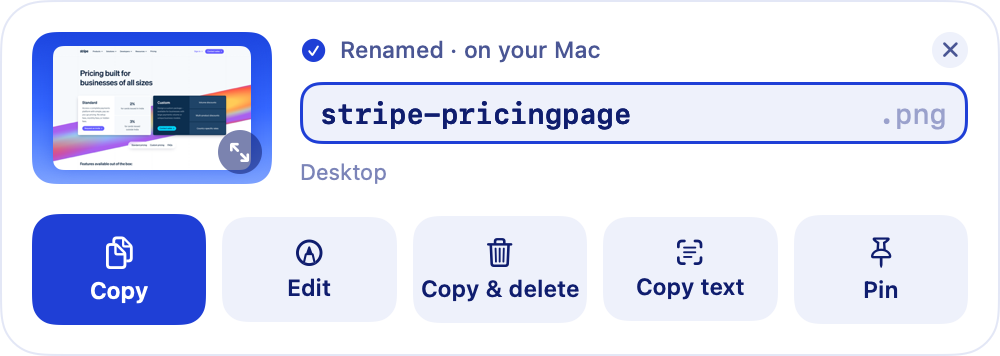
A second after you take it, the screenshot is named by what's in it. Rename one the same way twice and new ones follow.
Screenshot 2026-11-16 at 6.40.17 PM.pngrust-ownership-docs.pngScreenshot 2026-11-16 at 9.12.44 AM.pngourworldindata-life-expectancy-chart.pngScreenshot 2026-11-15 at 3.03.10 PM.pngwikipedia-москва.png
Find
Every word, searchable. Even inside pictures.
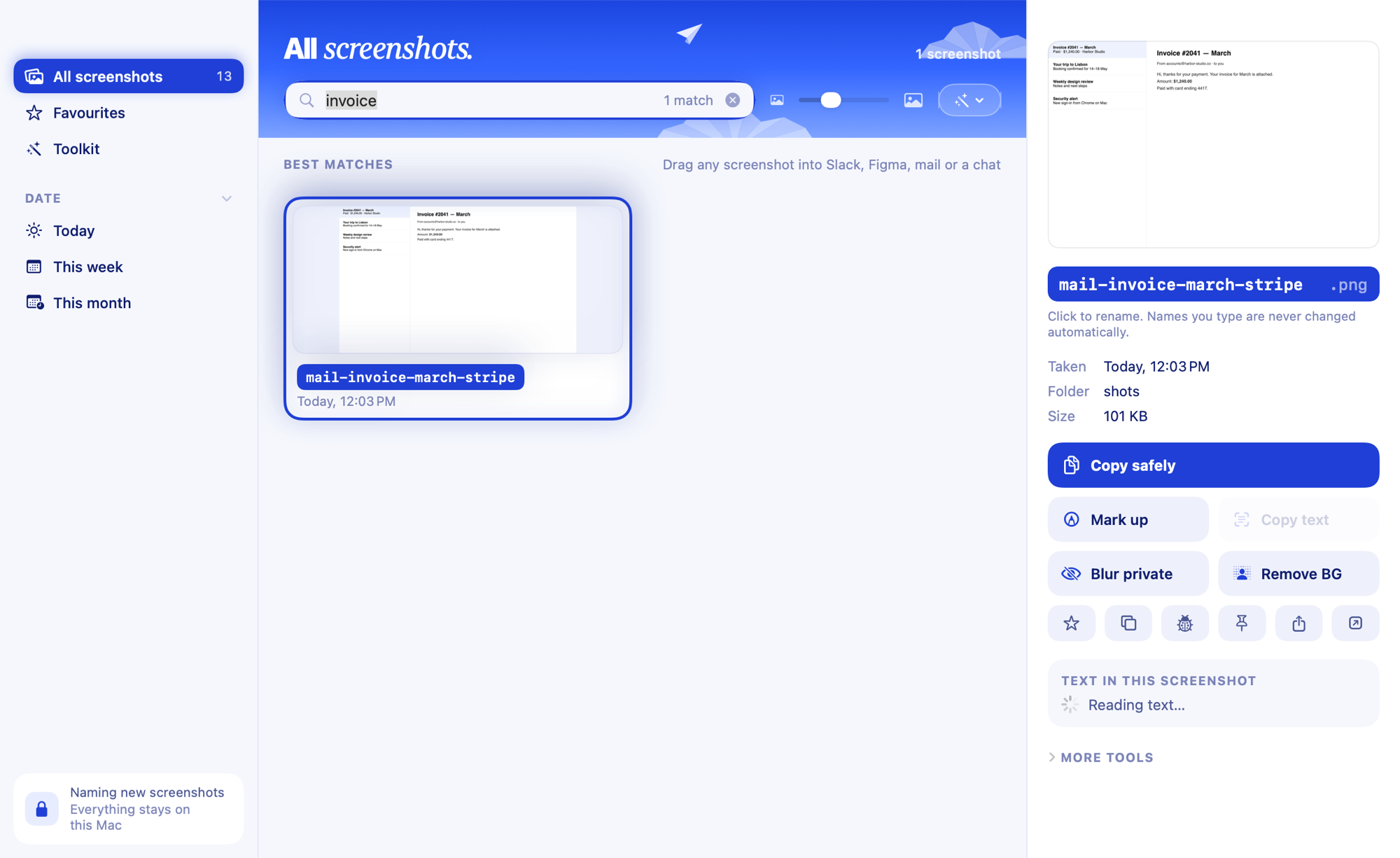
Type anything you remember: a word on screen, the site, the app, or “yesterday”. The screenshot comes up, even if you never named it.
Capture
Take it your way. Exactly what you selected.
Drag out an area, pick a window or take the whole screen. The screen freezes while you choose, so what you select is what is saved.
- ⇧⌘2An area
- ⇧⌘1The whole screen
Privacy
It never leaves your Mac.
Text recognition, naming, search and redaction run on your Mac with Apple's Vision and Apple Intelligence. No account, no analytics, no uploads. Screenshots of client work and inboxes stay yours.
- Reads the textApple Vision, on your Mac
- Names itApple Intelligence, on your Mac
- Remembers it for searchAn index in your Library folder
- Blurs private infoBefore anything is copied
- No account
- No uploads
- No analytics
- Works offline
Features
And everything else.
Tidying, safe sharing, markup and the rest. Each has its own page with the real app and how it works.

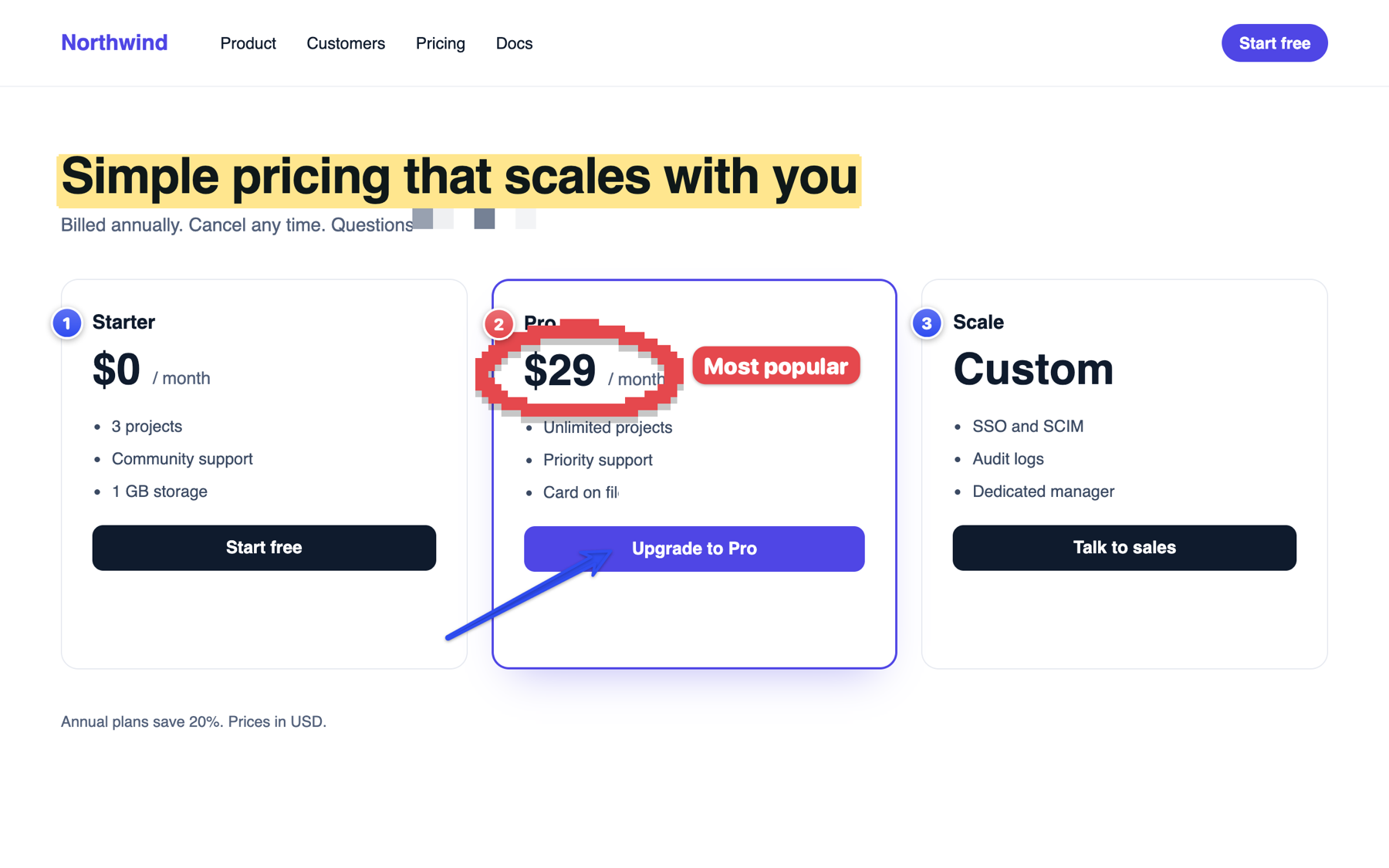



Captures on its own with ⇧⌘2 and ⇧⌘1, with a self-timer, repeat last area and a pixel ruler, and still names screenshots from ⇧⌘4, CleanShot X, Shottr or any app that saves to a folder.
Pricing
One price. Yours for good.
No subscription, no tiers, nothing sold separately.
$19$11launch price
- Every feature, on up to 3 of your Macs
- Updates included
- Works offline, no account
- 7-day money-back guarantee
Names come from the text on screen on every Mac. Apple Intelligence (macOS 26) and Clever names (Apple silicon) can look further.
Questions before you buy? hello@clevershot.app
Before your next ⇧⌘4.
What is Clevershot?
Clevershot is a $11 Mac menu bar app that automatically names, organises and searches your screenshots, entirely on your Mac. It takes screenshots itself (or works with ⇧⌘4), reads the text inside every screenshot so you can search it, and adds markup, redaction and sharing tools. It costs $11 once at launch ($19 after), with no subscription.
How do I rename screenshots automatically on a Mac?
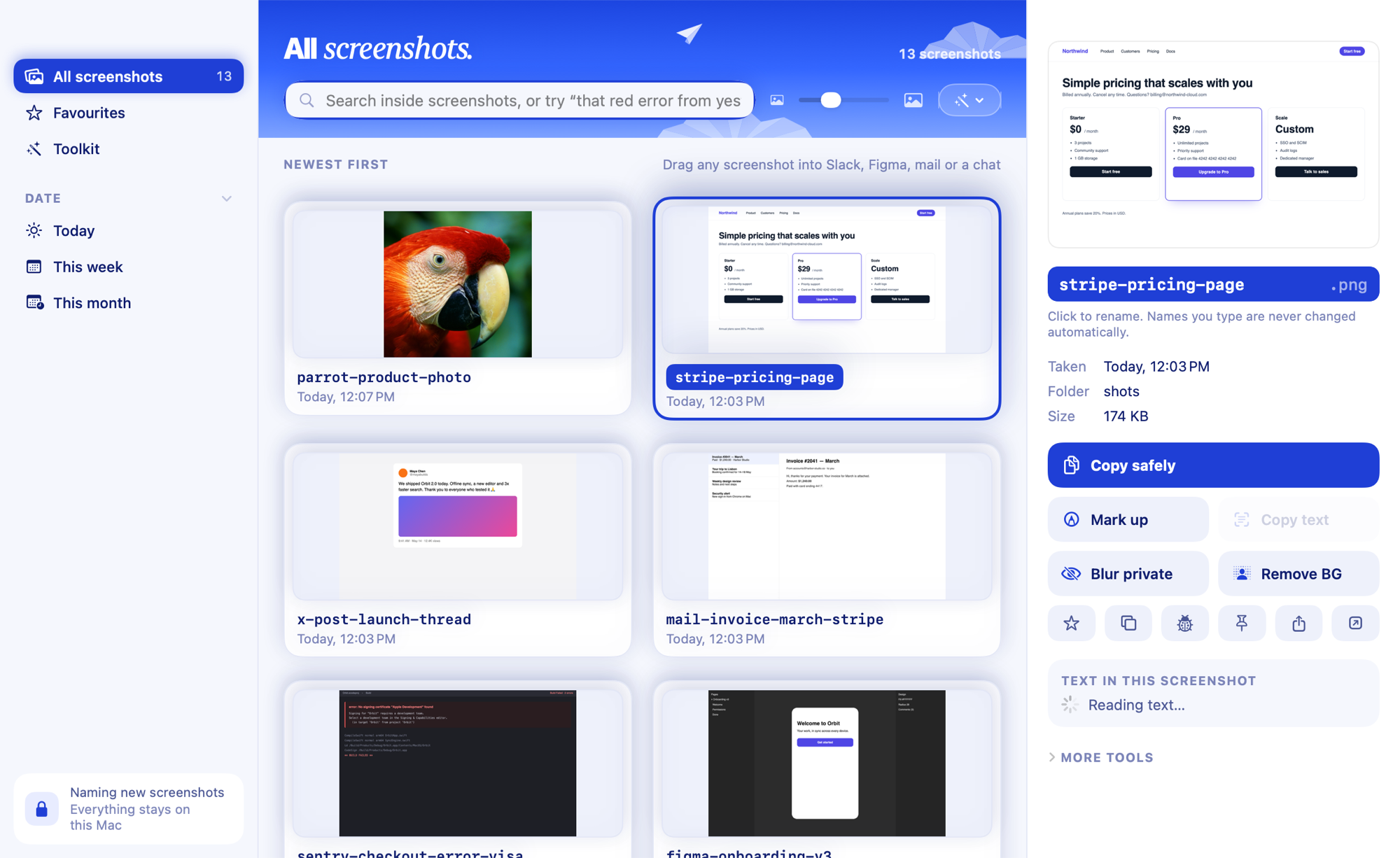
Install Clevershot and take screenshots with ⇧⌘2, or with ⇧⌘4 as usual. Each new screenshot is renamed by what’s in it, like stripe-pricing-page.png, within seconds. You choose the style: Clean, Dated, By app or your own template.
Can I search the text inside my screenshots?
Yes. Clevershot reads the text in every screenshot on your Mac, so you can search for any word in the library. Matches are highlighted on the image, small typos still match, and you can filter by app, website or date.
Does it replace ⇧⌘4 or CleanShot X?
Yes. Clevershot takes the screenshot itself (⇧⌘2 for an area or a window, ⇧⌘1 for the whole screen, or keys you choose), then names it by what’s in it and saves it where it belongs, which neither ⇧⌘4 nor CleanShot X does. You also get markup, blur for private info, scrolling screenshots of long pages (⌃⌥⌘6) and a library you can search. It can take over ⇧⌘3 and ⇧⌘4 too, once you switch macOS’s off. The one thing it doesn’t do is record video.
Can it take a scrolling screenshot of a long page?
Yes. Press ⌃⌥⌘6, drag over the part of the screen that scrolls, then scroll down at your own pace. Clevershot joins the frames where they overlap, keeps sticky headers once, and saves one tall image that gets named like any other screenshot. It needs the Screen Recording permission, and only captures the area you pick, only while you’re capturing.
Are my screenshots uploaded anywhere?
No. Text recognition uses Apple’s Vision framework and the AI is Apple Intelligence (and, if you turn them on, Clever names), all running on your Mac. There’s no account, and your screenshots and their text never leave your Mac. It goes online only for a daily check for updates, which you can turn off in Settings, and, if you turn on Clever names, to download their model once. It also checks your licence about once a week: the key and a random ID for your Mac, nothing else.
How do I blur private info in a screenshot before sharing it?
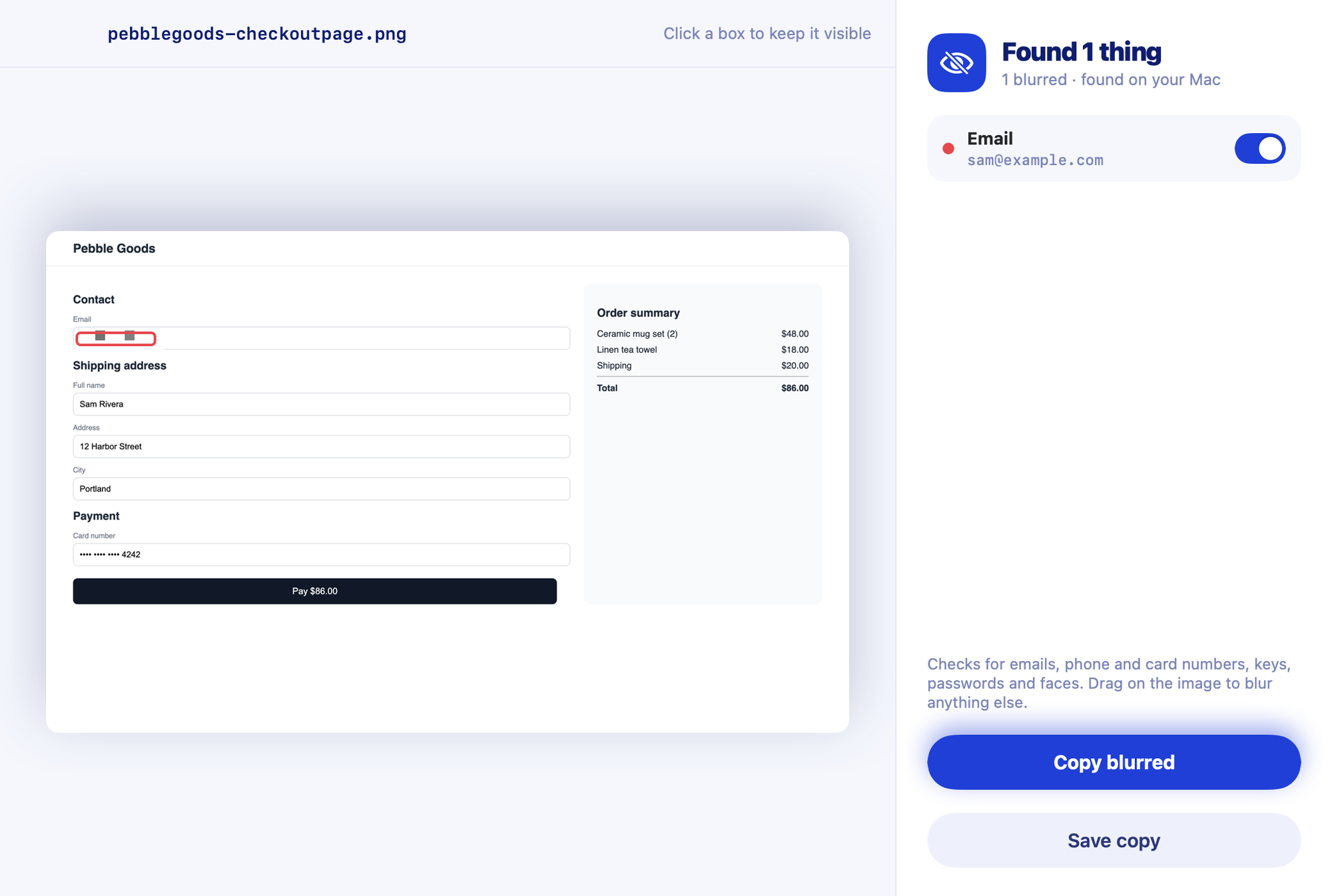
Turn on “Blur private info when copying” (Settings or the ••• menu), then click Copy on the preview card or press ⌃⌥⌘C. For a single copy, right-click a screenshot in the library and choose Copy with Private Info Blurred. Emails, phone and card numbers, keys, passwords and faces are blurred in the copy, and the original isn’t touched. In the editor, Redact hides them all in one click, as pixelate, blur or a solid bar.
Do I need Apple Intelligence?
It gives you smarter names and writes bug reports for you. Without it, Clevershot still names screenshots from the text it reads on screen, bug reports start from a text-based draft, and every other tool works the same.
Will a file name ever include private info?
No. Passwords, codes, keys, card numbers, phone numbers and email addresses are filtered out before a name is chosen.
Can it rename the screenshots I already have?
Yes. Rename old screenshots shows a name for each unnamed one you already have. Review the list, untick any you want to keep as they are, then rename them all at once.
What does auto-tidy do?
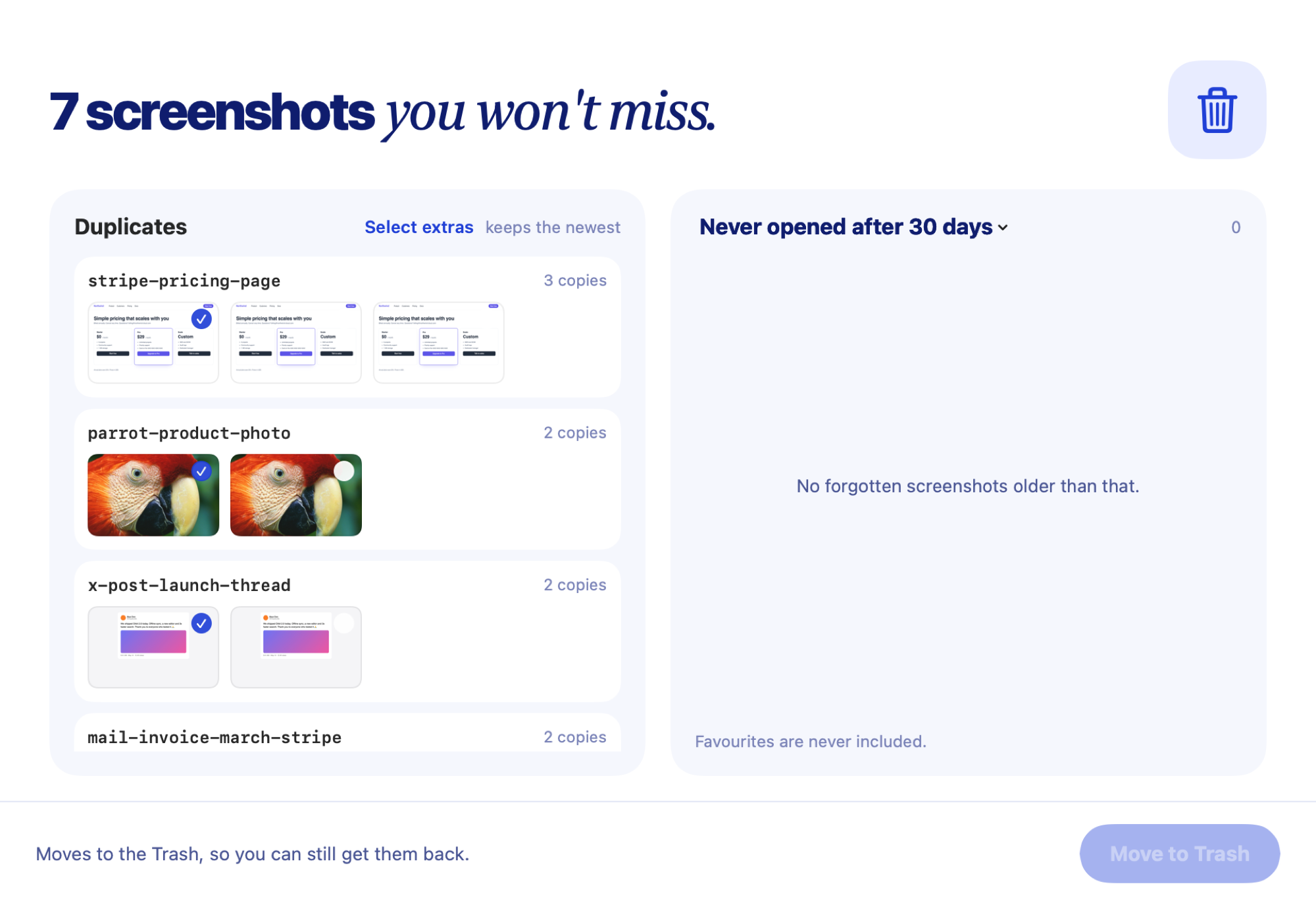
It’s off until you turn it on in Settings. Then screenshots move off the Desktop to Pictures › Screenshots after a day, where they stay in the library and search. After 30 days they move to the Bin, unless you starred them. Separately, Clean up finds duplicates and screenshots you never opened, and moves the ones you pick to the Trash.
How much does it cost?
$11 once at launch, $19 after, for everything: naming, the library and search, the editor, safe copy, bug reports and the whole toolkit. No subscription. One licence key unlocks it on up to 3 of your Macs.
Is there a free trial?
No. Clevershot needs a licence key to run. If it isn't right for you, there's a 7-day money-back guarantee.
Which Macs does it run on?
Any Mac on macOS 15 or later, Apple silicon or Intel. Smart names and AI bug reports need Apple Intelligence (macOS 26 on Apple silicon); everywhere else, names come from the text on screen and every other tool works the same.